MyBizz Solutions · Perth, WA
Build Your Agentic
Workforce.
AI Employees built to your brief, for any role in your business. Each one is onboarded like any other employee, with a job description, and works towards your long-term objectives, measured against KPIs, even overnight.
Works across









AI Employees
A member of staff that never clocks off
It holds a role, works to the KPIs you set, across every system you run. You keep the final say.
In production in 80 companies, with around 150 AI Employees. Legare runs the role. MyBizz writes it, inducts it and stays in the room. MyBizz Solutions holds the exclusive rights to sell Legare AI Employees in Australia.
How it works
Three moves, and the role is running
01
Define the role
You approve the position description
Every agent starts the way a hire does: duties, reporting line, KPIs, and the hard limits of its remit, written down before the agent exists.
02
We deploy
Legare handles everything
The agent joins your systems through the operating system it runs on. Sign-off gates and the decision log are on from the first minute.
03
You supervise
Work you control
Your team works from a sign-off queue. The audit trail shows every decision and who approved it. Correct a draft at the gate and the correction is written into the role for good.
See it working
Watch an AI Employee work a day, in a business like yours
Three sample businesses, built so you can watch the work without seeing anyone's data. Pick the one closest to yours. In every one it drafts and prepares the work, asks when it isn't sure, and waits for a person to approve anything that leaves the business.
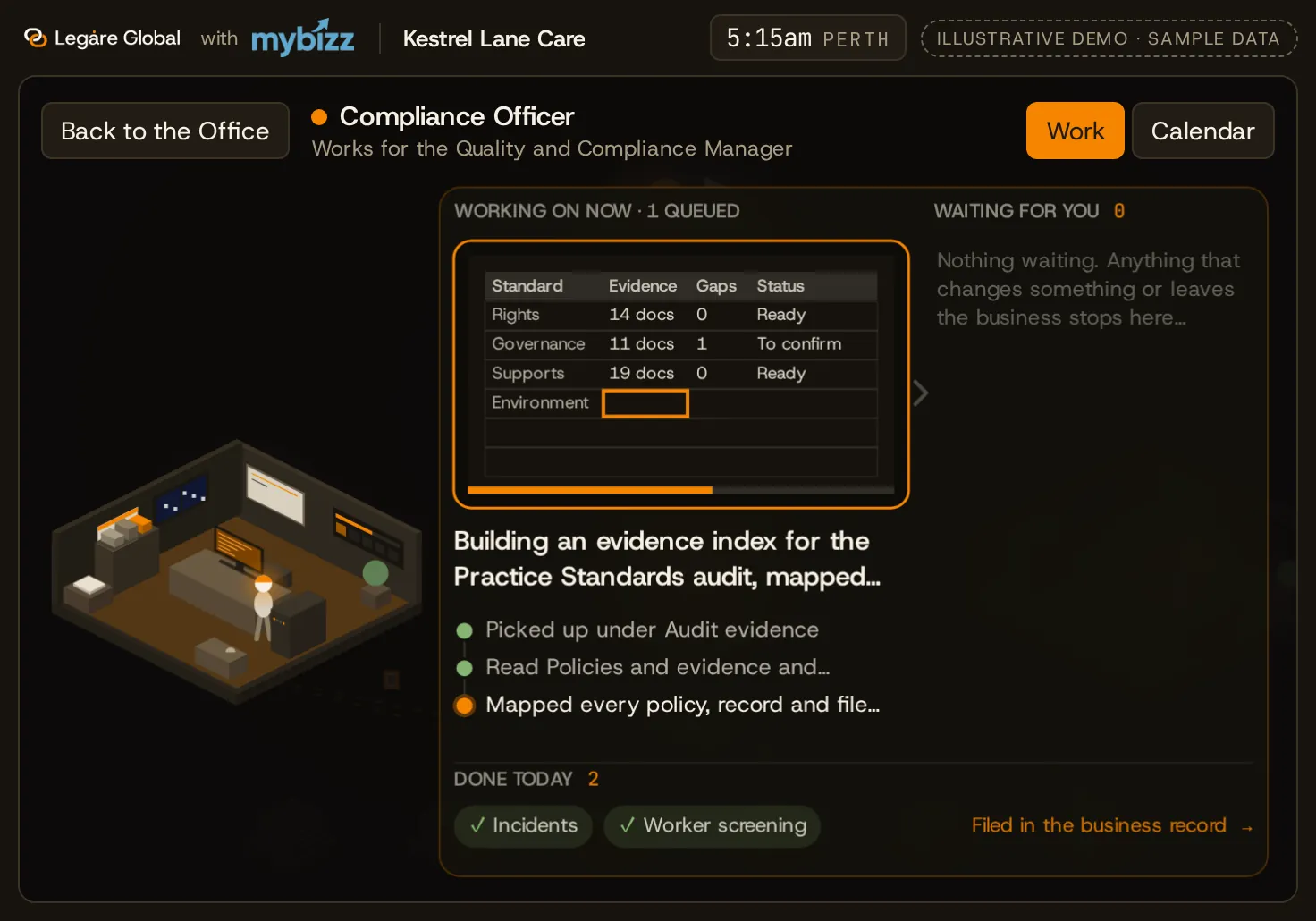
A Compliance Officer checks screening and training dates and drafts the renewal reminders. A Rostering Coordinator proposes cover for open shifts, flags a worker whose training is due, and holds the roster until the coordinator approves it.
- 01
Prepares the work
It drafts and prepares the work.
- 02
Asks, then remembers
It asks when it isn't sure, and remembers your answer.
- 03
You approve
Nothing leaves the business without a person's yes.
One request, many agents at once
A director asks for a brief before a first meeting. Across the office, the work arrives room by room: the research, each point linked to where it came from, a one-page brief and a draft follow-up email. Then it stops and asks: send? Nothing goes until a person says yes.
Shown on sample businesses. Every business, name and figure in these demos is invented.
Want to see it on a business like yours?
Get in touchThe question we get in every first meeting
How is this different from the AI we already pay for?
Copilot answers when someone types. An AI Employee holds a role, reaches every system that role touches, and works the night. Pick the systems you run and watch one shift.
18:00
Position description
Accounts Receivable Officer
Reports to the Finance Manager. Works to KPIs, not prompts.
Anything over $2,000 is held for a person
Now: Reading the day's bank feed
XeroWaiting.
OutlookWaiting.
Waiting.
Waiting.
HubSpotWaiting.
SharePointWaiting.
Waiting.
Position description
Accounts Receivable Officer
Reports to the Finance Manager. Works to KPIs, not prompts.
Anything over $2,000 is held for a person
Now: Reading the day's bank feed
XeroWaiting.
HubSpotWaiting.
OutlookWaiting.
SharePointWaiting.
Waiting.
Waiting.
Waiting.
Memory
Forgets.
Closes the session and loses last week. You explain the business again.
Remembers.
Holds what it learned last month. A correction is permanent.
Objectives
Waits to be asked.
Has no objectives of its own. Nothing happens until the next prompt.
Works to your KPIs.
Finds its own next task against them, every thirty minutes.
Reach
One vendor's stack.
Copilot lives in Microsoft, the CRM's AI in the CRM.
Every system you run.
Where there is no API, it works the way a person would.
Cost
Per seat, per token.
Running it all night on a metered plan is a bill you find out about later.
One flat fee per role.
However hard it works, the invoice is the same.
They work where
your team works
Agents sit in the channels your firm already runs. Tag them, ask them, hand them work, and approve it without leaving the thread. Every exchange still lands in the decision log.
 Slack
Slack Microsoft Teams
- Telegram
- Google Chat
- Discord
@TAX-01 prepare the BAS for Meridian Pty Ltd, June quarter
Done. GST reconciled to the ledger, workpapers complete, and the BAS is prepared in Xero. Queued at the gate, nothing lodges without your sign-off.
✓ Approved
Lodged. Logged to the audit trail as #A-58F220.
TAX-01 reports: Morning Jess. The June quarter BAS for Meridian Pty Ltd is due Thursday 28 August, so I have prepared it. GST is reconciled to the ledger, workpapers are complete and the BAS is ready in Xero. It is queued at the gate. Nothing lodges without your sign-off. Two files are attached, then Approve & lodge and Open workpapers buttons. Jess approves at 9:41. TAX-01 replies: Lodged. Logged to the audit trail as #A-58F220. Jess then asks: Thanks. Send Meridian the lodgement confirmation and update the client file. TAX-01 replies: Email drafted and the client file updated. The email is queued at the gate and goes out on your sign-off. Reference is the same audit ID, #A-58F220, above Send email and Edit draft buttons. SPEC-04 reports: Morning Priya. Wyndhale came back at revision C overnight and the glazing changed on the north elevation. The specification is back in step: NCC Part J re-checked, two superseded products matched to current equivalents, six clauses redrafted. Nothing issues without your sign-off. Two files are attached, then Approve & issue and Compare revisions buttons. Priya approves at 9:20. SPEC-04 replies: Issued to the consultant team. Logged to the audit trail as #S-71C044. Priya then asks: Let the builder know the glazing schedule moved, and flag it for the next site meeting. SPEC-04 replies: Notice drafted and the site meeting agenda updated. The notice is queued at the gate and goes out on your sign-off. Reference is the same audit ID, #S-71C044, above Send notice and Edit draft buttons. ARCH-02 reports: Morning Martin. The Bramerton issue register is reconciled as at this morning. Eleven RFIs open, four of them now overdue. I have drafted responses to nine from the contract documents. Two need a structural answer, so I have held those and put them to Enzo. Two files are attached, then Approve & send and Review drafts buttons. Martin approves at 8:55. ARCH-02 replies: Nine responses sent. Logged to the audit trail as #R-33B901. Martin then asks: Update the drawing register and tell the contract administrator which two are still open. ARCH-02 replies: Drawing register matched to the issue sheet and the note to the CA is drafted. It is queued at the gate and goes out on your sign-off. Reference is the same audit ID, #R-33B901, above Send note and Edit draft buttons.
The bench
Which role would you hire for?
67 roles across 13 disciplines, each with a written position description and a person at every gate. Pick a discipline, open a role, or see the whole stack.
Finance · 10 roles
Dealing every few seconds · hover to hold- FIN-01Credit AnalystAssesses applications against your credit policy and drafts the recommendation.Position description
- FIN-02Credit Portfolio AnalystMonitors exposures, arrears trends and concentrations across the book.Position description
- FIN-03Treasury AnalystDaily cash position, facility headroom and maturity ladder, reported before 9am.Position description
- FIN-04Management AccountantAssembles the month-end pack and drafts the variance commentary.Position description
- FIN-05Financial AccountantJournals, reconciliations and statutory-ready workpapers.Position description
- FIN-06Tax AccountantBAS preparation, FBT workings and tax provision drafts, ready for review.Position description
- FIN-07Internal Audit ManagerRuns the audit plan: testing, evidence gathering and findings drafted.Position description
- FIN-08Debt IR / Funder Relations ManagerFunder reporting packs and covenant certificates, always on schedule.Position description
- FIN-09Accounts Receivable AnalystKeeps the debtor ledger current and follows up what is owed, politely and on time.Position description
- FIN-10BookkeeperTransactions coded and accounts reconciled daily, not at month end.Position description
Any role that is missing is staffed to a brief. Most businesses start with the Chief of Staff.
In the field
Working today, in businesses with real operational weight
The Legare Global platform is in production in 80 companies, with around 150 AI Employees. Three of them, anonymised at the clients' request.
A large infrastructure builder
Delivering an airport project. Runs AI Employees across its operations.
On a project of that size the roles sit where the paperwork piles up: subcontractor claims checked line by line against the schedule of rates, delivery dockets matched to purchase orders, requests for information chased with the drawing attached, and anything over a delegated limit held for the commercial manager. The work is done overnight and the decisions are on the desk before the morning prestart.
Reaches Contract administration, site operations, document control

A property group
Portfolio in the hundreds of millions. Two AI Employees, a specialist and a Chief of Staff, run its lease, rental and inspection processes.
The Chief of Staff holds the calendar and the queue: leases coming up for renewal, inspections due, arrears past the notice period. The specialist does the work: renewal letters drafted at the indexed rent, entry notices issued to the day, first reminders sent in the group's own tone. Nothing reaches a tenant or changes a lease without a person signing it off.
Reaches Property management, trust accounting, tenant correspondence

A restaurant group
Asked its AI Employee for a management view of profit and loss, food cost and wastage. It built and deployed a live reporting dashboard on its own within two days.
The owner described what he wanted to manage in one conversation. The role read the point of sale, the supplier invoices and the rosters, built the dashboard against them and put it live, site by site, with drill-through to the invoice behind any number. It keeps it current every night, and when a site drifts off its food cost target it says which supplier or which dish moved.
Reaches Point of sale, supplier invoices, rostering

Roles run on the platform. writes them, inducts them and stays in the room. Photographs are representative, not the clients' sites.
LegareGlobal website, opens in a new tabWho does the work
“If an AI Employee or a build isn't the right call, we'll say so. We'd rather lose the line item than deploy something that won't earn its keep.”


Oliver Kemp & Alexander ScafidasCo-founders, MyBizz Solutions
Advised by Diana Forsyth on governance and strategy, and Spiros Scafidas on running an operating business.
Meet the directors and advisers →See one working, in a business like yours
Tell us the role you would otherwise hire for. We will show you an AI Employee doing that kind of work in a sample business, and say plainly whether it fits.
Book a demo
Tell us a little about your business and what you would like to see. We will be in touch soon.
We collect the information you provide to respond to your enquiry, assess service fit, deliver services, manage our relationship, and comply with legal obligations. Some information may be processed by trusted service providers in Australia or overseas. See our Privacy Policy and Cookie Policy.
Common questions
The questions we get asked in every first meeting about AI Employees, answered before the meeting.
A scheduled task runs on a timer, with no memory of last week, no objectives and no way of knowing whether the output was any good. An AI Employee holds a role: it has KPIs, works toward them without being asked, keeps what it learns about the business, and reaches every system the role touches. The monthly cost is fixed for the role, however much it does, which is what makes it possible to leave it working around the clock.
Yes. On a thirty minute cycle it looks at what has come in, what it owes, what is overdue and what the KPIs say, then picks up the next task. Nobody prompts it. Overnight and over the weekend it keeps going, and anything that changes a record or reaches a client waits at the gate for a person, so on Monday the queue is prepared rather than actioned.
Usually with a Chief of Staff: a second in command that can answer questions and complete work across any part of the business, reporting to the owner or the managing director. Specialists are added alongside it as the work shows where they are needed. One AI Employee can serve several people, and a role with a large, uninterrupted workload gets a dedicated one.
Reading, drafting, analysis and preparation run on their own. Sending money, changing a bank detail, anything that reaches a client, a supplier or a regulator, and any change to a record of account, a contract or a payroll entry is proposed and held for a named person to approve. You set where that line sits for each role, and every action is logged with the person who approved it.
Considerably. Information pasted into a consumer AI tool leaves the business and, on a free plan, can be used to train someone else's model. An AI Employee reaches only the systems its position description names, never holds your credentials, and your data stays inside your deployment and is never used to train external models.
Per role per month, with a once off activation fee, quoted in writing after a thirty minute conversation. One flat fee whatever the workload, billed monthly in Australian dollars with GST stated. If the arrangement ends, the position description, the standards the role wrote down, the decision log and the records it kept are yours and are handed over.
Within days. After a one to two hour induction call and your IT granting access, it goes live a few days after the scope document is received, with every output checked by a person. It gets better every week after that: a correction is permanent, and the gate loosens as trust is earned.